

Features
Speak roughly. Send something finished.
Twik does more than transcribe. Here is exactly what happens between the moment you stop speaking and the text landing in the field.
Works everywhere you type
Twik is available in every app on your phone, so there is nothing to copy and paste between.
Tap into a text field in WhatsApp, Gmail, Instagram, ChatGPT, Slack or Notes and the Twik mic appears above your keyboard. Your words go straight into the field you were already in.
Removes the ums and false starts
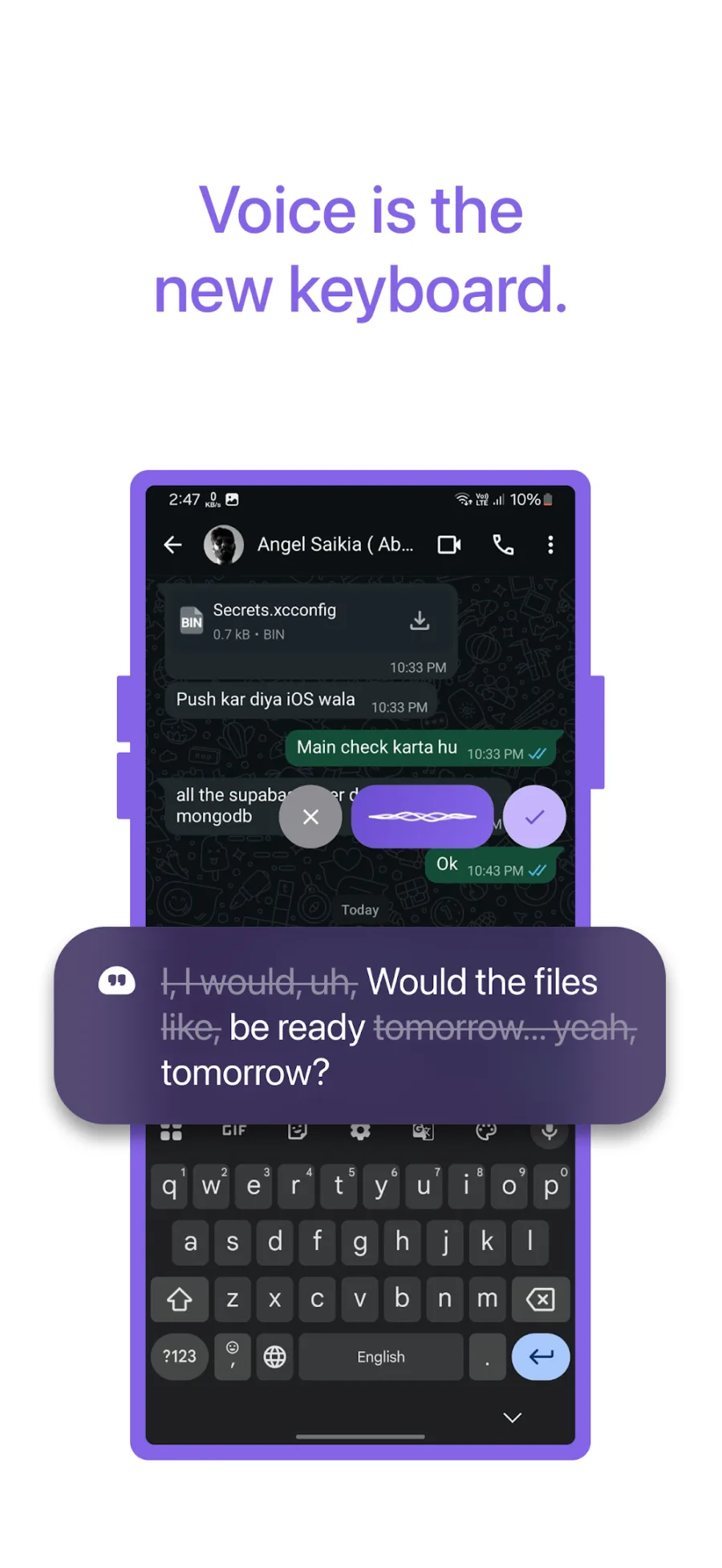
The "um", the "uh", the sentence you started over. Twik takes those out on its own.
Most dictation writes down every word exactly as you said it, pauses and restarts included. Twik understands what you meant and writes that instead, so you speak roughly and it comes out clean.
Punctuates for you
Full stops, commas and line breaks are added where they belong.
No saying 'comma' or 'new paragraph' out loud. Twik reads the shape of your sentence and sets the punctuation and capitalisation to match.
Matches the tone of where you are
A message to a friend reads casual. An email reads professional.
A message to a friend and an email to your manager should not read the same way. Twik adjusts to the app you are writing in.
Switch languages mid-sentence
Start in one language and finish in another. Twik follows along.
Millions of people do not think in only one language. Most voice apps force you to pick a single language and stay in it. Twik does not, so you are never switching keyboards or repeating yourself.
Follows your corrections
Change your mind halfway through and Twik keeps the version you settled on.
Say it, then say it better. Twik keeps the version you landed on rather than writing both down and leaving you to delete one.
Fixes small grammatical mistakes
The slips that creep in when you speak quickly get tidied before you send.
Agreement, tense and word order are corrected as the text is written out, so what lands in the field is ready to send.
Keeps your existing keyboard
Twik sits on top of whatever keyboard you already use.
Nothing to replace, nothing to relearn. On Android a small mic button appears above your keyboard; on iOS you switch to the Twik keyboard when you want it.
How it works
Three taps. No typing.
Open any app
WhatsApp, Gmail, Instagram, Notes - anything with a text field.
Tap the mic and speak
Talk the way you normally talk. No need to slow down or dictate punctuation.
Send clean, finished text
Filler words removed, punctuation added, tone matched. No typos to fix.
Getting the best from Twik
Three things worth knowing.
Speak at your normal speed
There is no need to slow down or over-enunciate. Twik is built for how people actually talk.
Switch languages whenever
Mid-sentence is fine. You do not need to tell Twik you are about to change.
Allow the permissions on setup
On Android the mic button cannot appear above your keyboard without them. Twik uses them for that and nothing else.
Who uses Twik
For anyone the keyboard slows down.
- Students writing notes and assignments
- Professionals answering emails and messages
- Business owners handling customer messages all day
- Creators writing captions and scripts
- Anyone writing prompts for ChatGPT and other AI tools
- Anyone typing in a language they speak better than they spell
- People who find typing painful because of arthritis, RSI or hand injuries
- People with dyslexia, ADHD or a stutter who would rather speak
- Older users who find phone keyboards small and slow